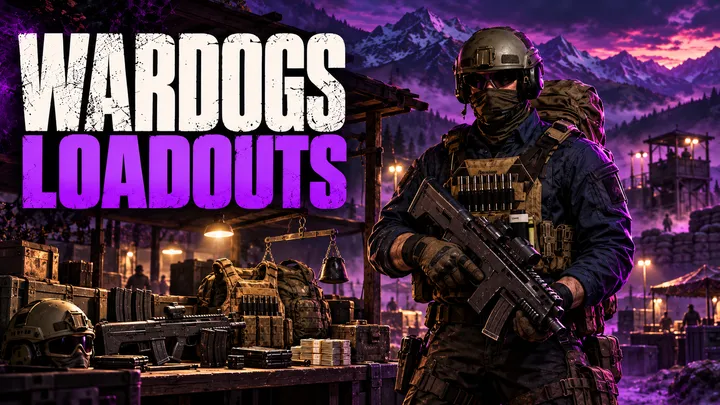
WARDOGS loadouts work differently from almost every other shooter.
You pay for your kit every single life, and one bad death can wipe out the money you spent on it.
This WARDOGS loadout guide explains the vendor economy, every slot in a full kit, how weight changes movement, and what happens to your gear when you die.
Table of Contents
- How Do Loadouts Work in WARDOGS?
- The Vendor and Buy-Every-Life Economy
- What Goes Into a Full WARDOGS Loadout
- WARDOGS Weight Classes: Thresholds and Penalties
- What Happens When You Die
- Rebuy Last Loadout and the Missing Presets
- How to Build a Loadout Step by Step
- Common Loadout Mistakes
- What Can Change During Early Access
- Key Takeaways
- FAQ
How Do Loadouts Work in WARDOGS?
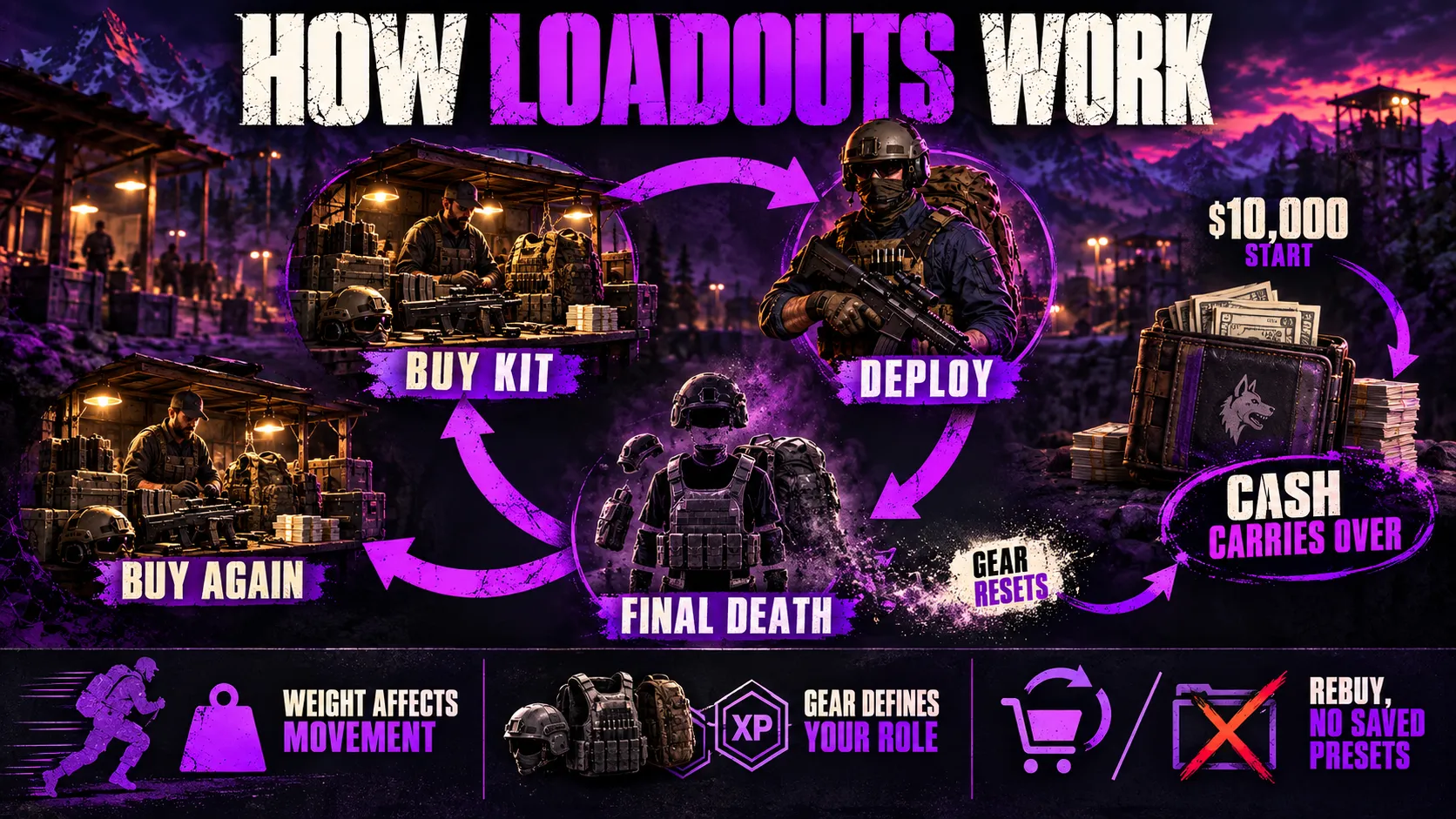
In WARDOGS, a loadout is the set of gear you buy from a vendor at the start of each life, and you pay for it again every time you respawn.
Bulkhead’s Steam page confirms the core loop: every player starts with $10,000, buys a custom loadout each life, and keeps their cash from match to match.
There is no class select screen.
What you buy decides what you can do on the battlefield, and it also decides which of the six XP tracks levels up while you play.
The progression tracks explained article covers that side in detail.
Four rules define the whole system:
- Buy per life: your kit lasts until you die for good, then you buy again.
- Cash persists, gear does not: your balance carries into the next match, but the items do not.
- Weight is a real cost: every kilogram you carry moves you toward slower movement and worse handling.
- No saved presets yet: you can rebuy your last kit, but you cannot store named loadouts.
This page explains the mechanics only.
For specific kits at specific budgets, use the best overall loadout article, and for individual guns, see the WARDOGS weapons guide.
New to the game itself?
Start with what WARDOGS is, then come back here.
The Vendor and Buy-Every-Life Economy
Every loadout starts at a vendor at your base.
The equipment vendor sells weapons, attachments, gear, ammunition and items, and vehicles are bought separately.
Every purchase draws from the same cash balance, so the vendor is where your money turns into a kit.
Three Gates Stand Between You and an Item
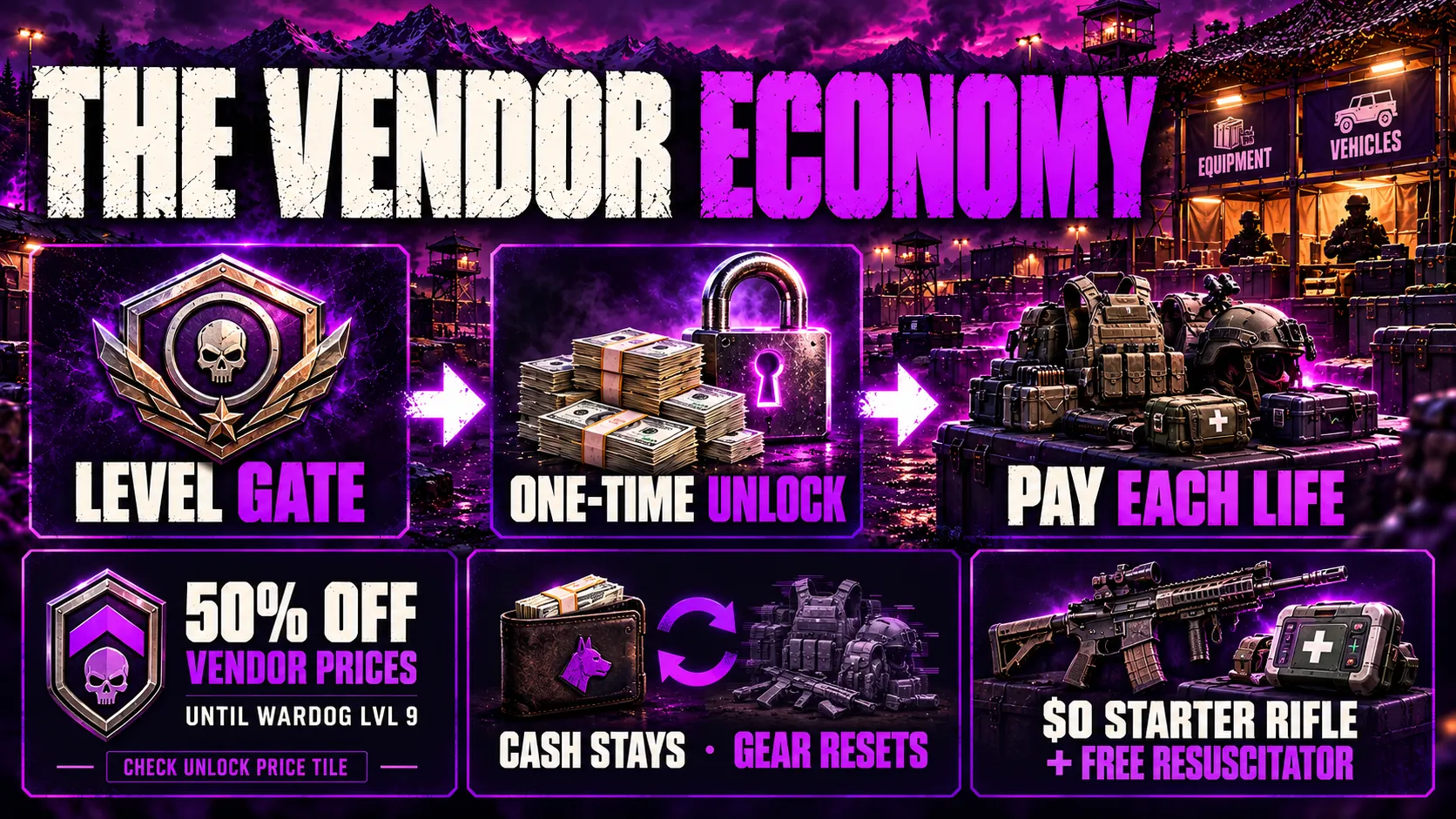
Getting an item into a loadout takes three separate checks.
- The level gate: most weapons and tools unlock at a set level in one of the six role tracks, while armor, backpacks and other general gear gate on your account-wide Wardog level.
- The unlock fee: after you reach the level, a one-off payment makes the item permanently buyable.
- The per-life price: once unlocked, you pay the list price every time you put the item in a loadout.
Reaching a level only opens the item’s tile at the vendor.
That means you can unlock a gun and still be too poor to take it out.
Bulkhead’s Season 1 changelog shows the split clearly, because it lists a vendor price and a separate unlock payment for the same Large Hammer.
The unlock payment is many times larger than the vendor price.
The leveling and XP guide covers how to reach those level gates faster.
The New Recruit Discount
New accounts get 50% off vendor prices until Wardog level 9, and the discount does not come back afterward.
The vendor shows it as a banner that expires at level 9, according to community-tracked gear data.
Prices you see in your first hours are therefore half of the list price.
Guides disagree on whether every unlock fee follows the same discount, so read the price tile before you spend.
Cash Persists, Gear Does Not
The $10,000 start is a single balance that grows or shrinks with everything you earn and spend.
That balance carries into the next match.
The items you bought do not.
Community guides report two safety nets that keep you playing when you are broke:
- Faction starter rifles that list at $0 and take no attachments.
- One free Emergency Resuscitator with every spawn.
A free kit is thin, but it means an empty balance never locks you out of a match.
What Goes Into a Full WARDOGS Loadout
A full kit has more parts than a rifle and a helmet.
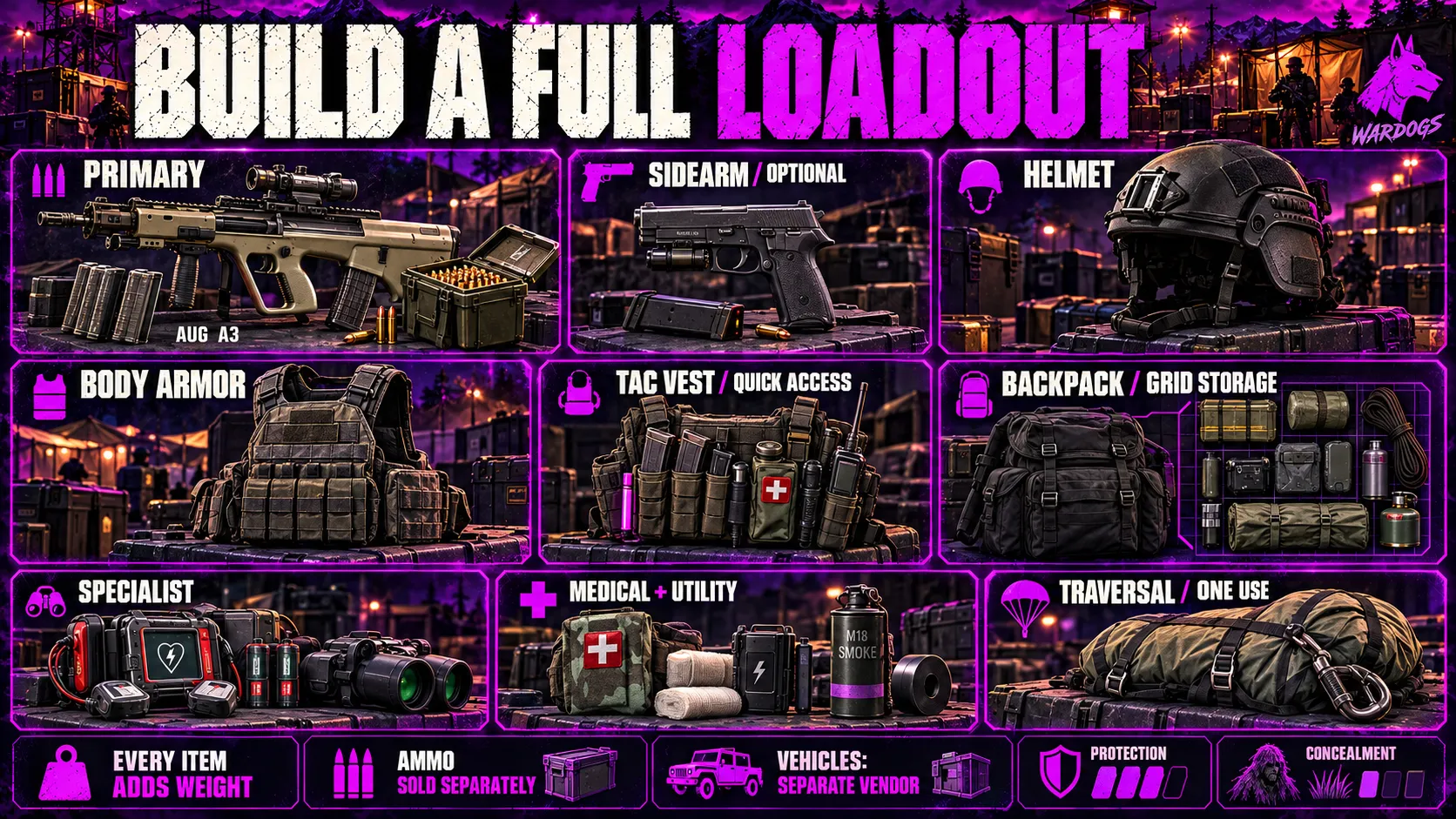
The table below follows the vendor screen as community guides document it, and Bulkhead can rename slots as Early Access continues.
| Slot | What it covers | What it costs you |
|---|---|---|
| Primary weapon | Main gun, attachments and ammunition | Price, weight, ammo cost |
| Sidearm | Optional backup pistol | Small price and weight |
| Helmet | Head protection | Price and weight |
| Body armor | Torso protection in tiers | The biggest weight lever |
| Tac vest | Quick slots for items | Small weight |
| Backpack | Grid storage for everything else | Price, weight, grid size |
| Specialist item | Role tool such as a launcher, defibrillator or spotting optic | Price, weight, backpack space |
| Medical and utility | Bandages, grenades, smoke, batteries | Backpack space and weight |
| Traversal | Parachute for drops | One use per life |
Primary Weapon and Attachments
The primary weapon sets your range, your ammunition type and much of your direct cost.
Attachments are priced and unlocked separately, and every part adds kilograms to your weight total.
Most guns are tagged to a role track, so the weapon you buy also decides which track earns XP.
For rankings and picks, see the weapon tier list.
Ammunition is a separate purchase from the magazine, so a loaded magazine costs more than the empty magazine alone.
Community guides also warn against filling a bag with loaded magazines, because loose ammo boxes pack more rounds into the same space.
Better ammunition types are gated too, and Bulkhead’s Season 1 changelog puts armor-piercing rounds at high Career levels, such as 5.56mm AP at level 83.
Sidearm
The sidearm slot is optional, and many community builds leave it empty to save money and weight.
A sidearm adds a second weapon to feed with ammunition, so it also takes backpack space for spare magazines.
Armor, Helmet and Vest
Body armor and helmets come in four tiers, and each tier costs more and weighs far more than the last.
Higher tiers absorb more damage, but weight is the trade-off, and the next section shows how quickly it adds up.
The ghillie suit uses the armor slot and swaps all protection for concealment, so it hides you from the killcam but does not stop bullets.
The tac vest is not storage.
It unlocks quick slots for items you need in a fight, and larger vests reach more of them.
Specialist Item, Medical and Utility
The specialist slot holds the tool that defines your job, such as a launcher, a defibrillator or a spotting optic.
Each specialist tool feeds a role track, so this slot also steers your XP.
Health does not regenerate on its own in WARDOGS, so bandages and medical items belong in almost every kit.
Defibrillators and repair tools run on batteries, and a dead battery leaves the tool useless until you fit another.
Hammers and other building tools also take loadout space, and the FOB building guide explains what each hammer can build.
Backpack and Grid Space
Backpacks are grids, not slot counts.
According to community-tracked gear data, a Field Backpack holds 9 cells, an Assault Backpack 15, a Gunner Backpack 24 and the Arsenal Backpack 30.
Items have shapes, so a full pack can refuse an item even when the total cell count looks fine.
Bulkhead’s Season 1 changelog also notes that 155mm, 122mm and flare deployables now take up more room in your loadout.
Everything in the backpack counts toward weight as well as space.
Vehicles Are a Separate Purchase
Bulkhead’s Steam page lists vehicles alongside weapons, gear and utility in the things you buy with your cash.
Vehicles come from a separate Vehicle Vendor, not the equipment vendor, according to community guides.
Those guides describe each vehicle as a one-time purchase per spawn, and the cash leaves your balance the moment you click.
A destroyed vehicle is gone, so it is another bill paid from the same balance that funds your loadout.
WARDOGS Weight Classes: Thresholds and Penalties
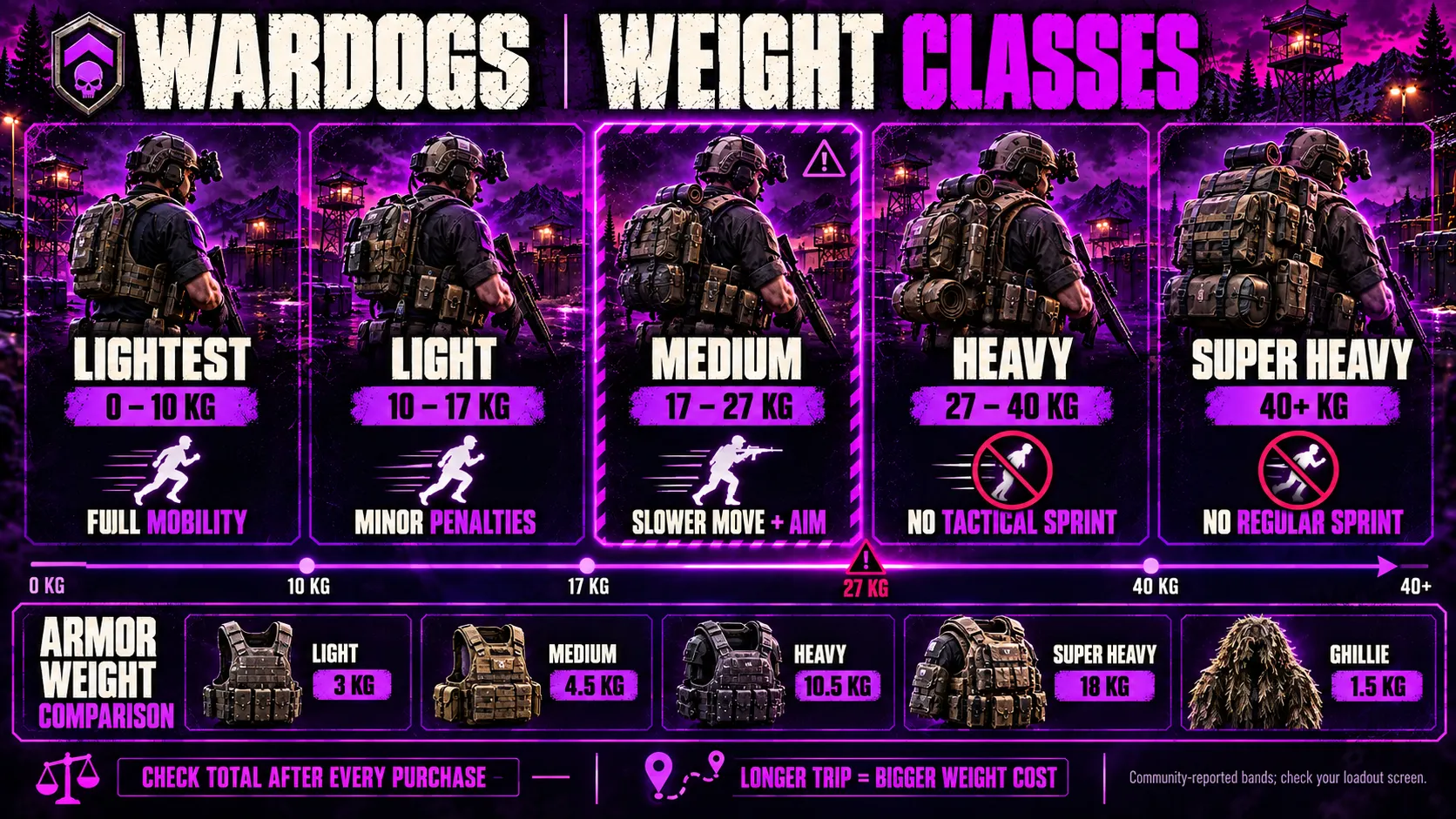
Weight is the total kilograms of everything you wear and carry, and it sorts you into one of five bands.
You can read your band on the loadout screen before you deploy.
The thresholds below come from a community weight-class planner that labels them as in-game values, and other community trackers list the same five bands.
| Band | Total weight | What changes |
|---|---|---|
| Lightest | 0 to 10 kg | No penalties, full tactical sprint |
| Light | 10 to 17 kg | Slightly slower, slower stamina regeneration, a little more aim sway |
| Medium | 17 to 27 kg | Noticeably slower, weaker stamina regeneration, slower aim-down-sights |
| Heavy | 27 to 40 kg | Roughly a fifth off top speed, slower aiming and leaning, tactical sprint disabled |
| Super Heavy | 40 kg and up | Heavy penalties plus a worse jump, regular sprint disabled |
Trackers differ by a point or two on exact percentages, so treat the numbers as approximate and trust the band on your own screen.
The line that matters most sits between Medium and Heavy.
Heavy removes tactical sprint, the fast movement that carries you across open ground.
Regular sprint still works in Heavy, and Super Heavy takes it away too.
Armor Is the Biggest Weight Lever
Armor weights show how quickly a kit climbs through the bands, according to community-tracked gear data.
| Armor | Weight |
|---|---|
| Light armor | 3 kg |
| Medium armor | 4.5 kg |
| Heavy armor | 10.5 kg |
| Super Heavy armor | 18 kg |
| Ghillie suit | 1.5 kg |
Super Heavy armor alone weighs more than the entire Lightest band.
Attachments, ammunition, medical items and explosives all add to the total, and the total decides your band.
Check the weight bar after every purchase, because a single extra item can push you over a threshold without any warning.
Distance changes how much weight hurts.
Community guides describe the base as a long way from the Control Zone, so a slow kit pays for its weight on every trip.
What Happens When You Die
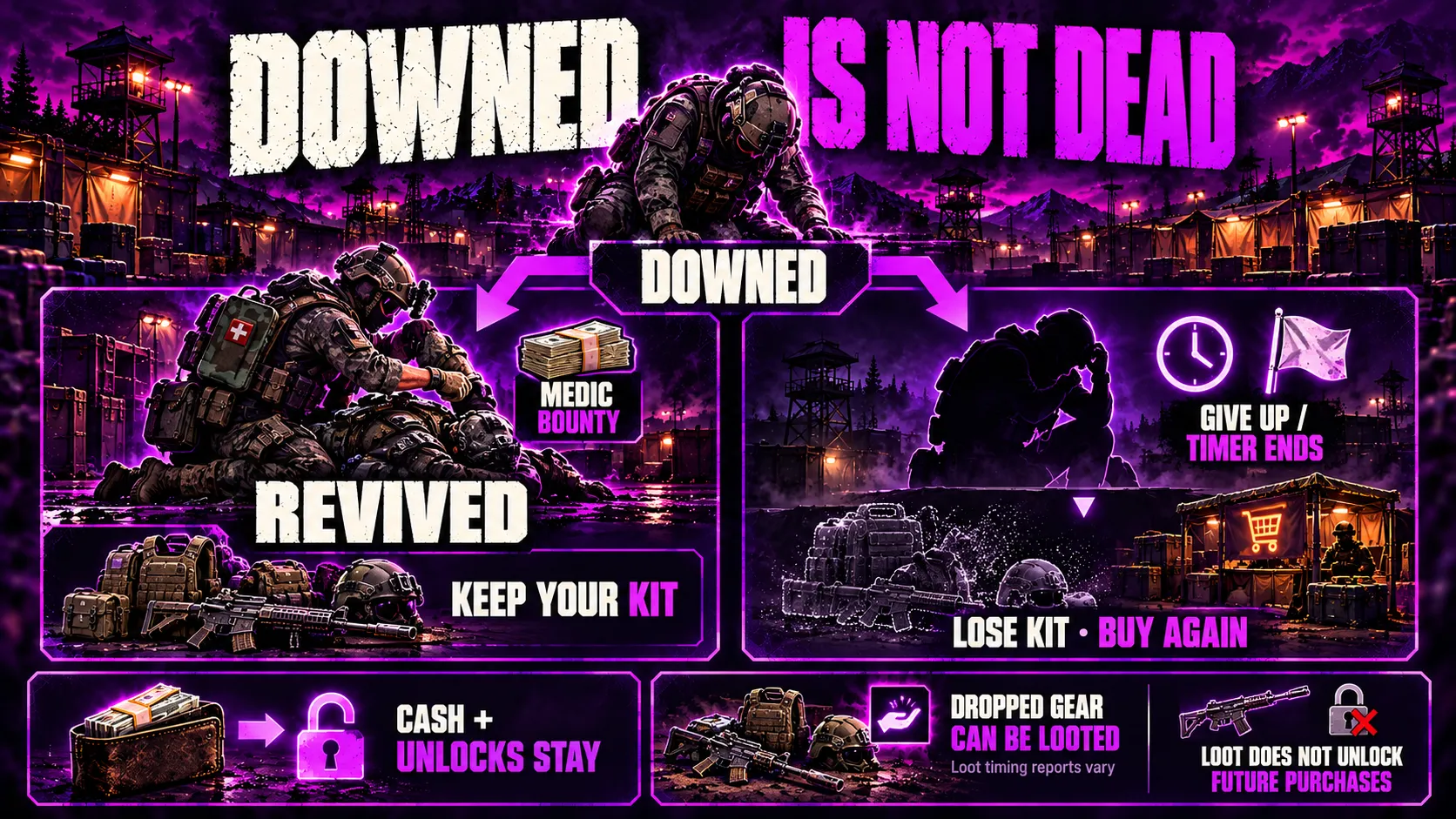
WARDOGS separates being downed from being dead, and only one of them costs you your loadout.
Downed Is Not Dead
When enemies shoot you down, you stay on the ground instead of dying immediately.
You respawn only if you give up or the down timer runs out, and multiple guides describe that timer as long.
A successful revive keeps your entire loadout, so waiting for a teammate is often the cheapest way to survive a bad fight.
Downed players can also offer a cash bounty to attract a medic.
Giving Up Wipes the Kit
If nobody revives you and you give up, you lose everything you bought for that life and pay for a new kit at the vendor.
Your unlocks and your cash balance stay.
One Steam forum poster reports that the pause menu’s return-to-spawn option, which appears after roughly 20 seconds, also loses the kit.
The WARDOGS map guide shows how a full match flows, including how far a respawn sends you back.
Your Kit Is Loot
Killed players drop their gear, and other players can pick it up and use it.
Community reports conflict on timing, because some players say a kit becomes lootable only after its owner gives up, while others report teammates stealing medical items and armor from downed players before reviving them.
Looted weapons reportedly work even when you have not unlocked them, although looting a gun does not unlock it for future lives, which is why some players deploy with almost nothing and rebuild from the battlefield.
Whatever you carry can be taken, so every expensive item is also a target.
Rebuy Last Loadout and the Missing Presets
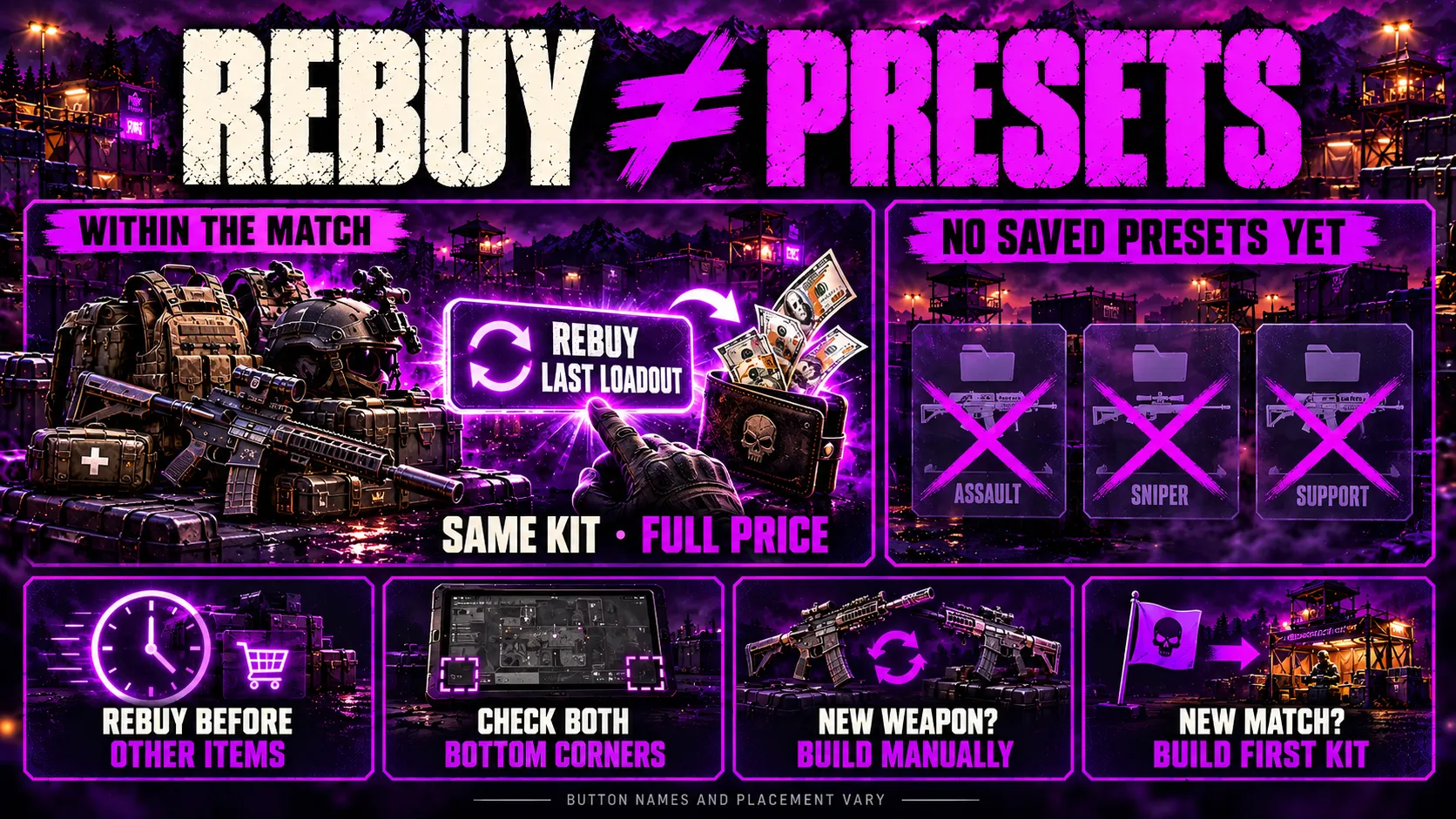
WARDOGS has no preset system yet.
Gfinity Esports reports that the vendor remembers your last purchase, and after a respawn you can buy that whole kit again in one action.
A few details matter:
- The name varies: guides call the button Rebuy Last Loadout, Re-buy Loadout or Buy Again.
- The location is disputed: some guides put it at the bottom left of the vendor screen and others at the bottom right, so check both corners.
- Rebuy is not a refund: it buys the entire kit again at full price.
- Timing can matter: one guide advises pressing it before buying anything else, because the option can disappear once you start adding individual items.
- Weapon swaps start over: switching to a different weapon means rebuilding the kit by hand.
Rebuy works inside a match.
Loadouts do not currently carry between matches, so the first kit of every match is built manually.
A loadout section already appears in the interface as a future feature, but the sources checked give no release date.
How to Build a Loadout Step by Step
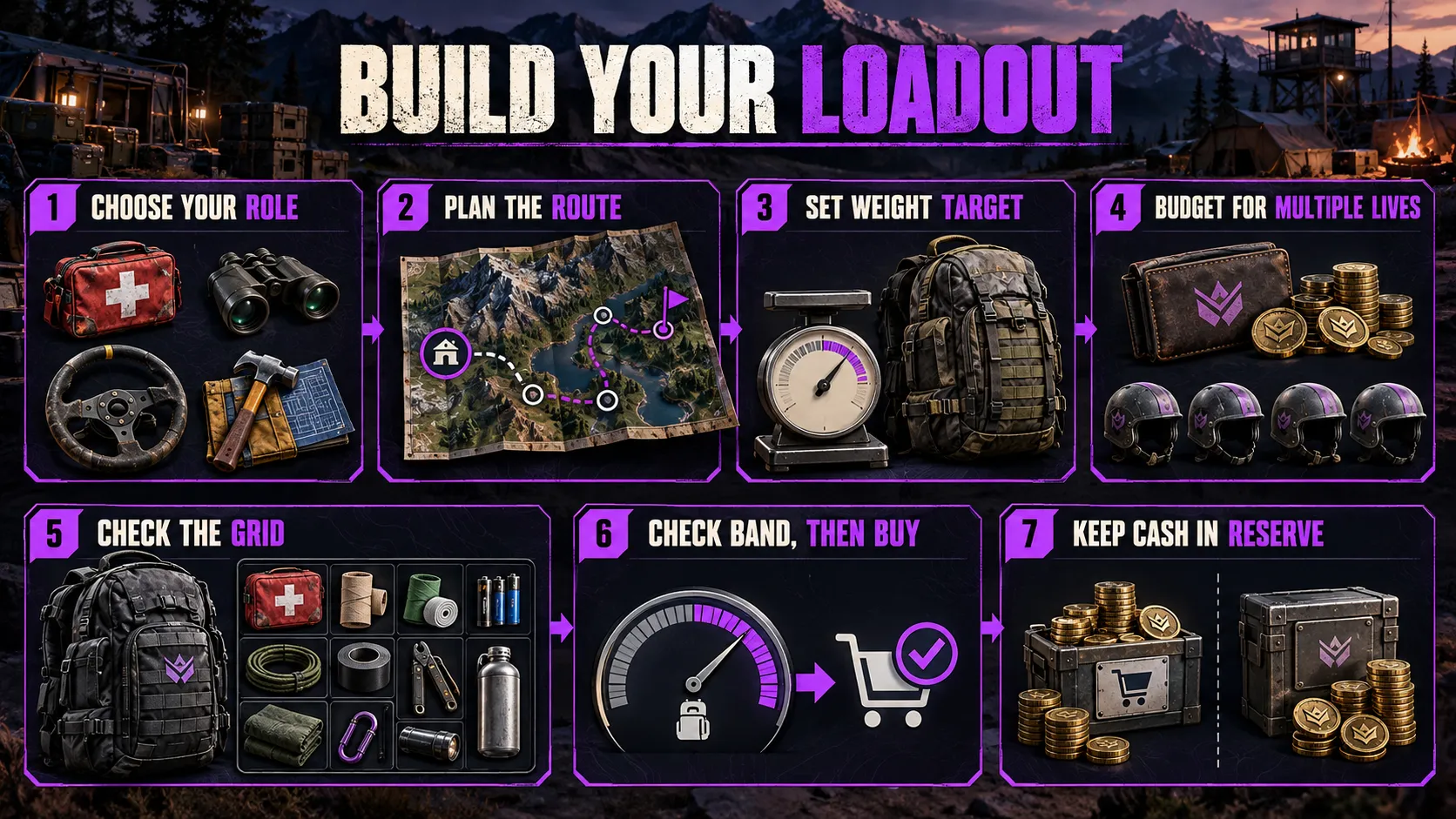
This process works for any playstyle and never depends on a specific gun.
- Name the job. Decide whether you are fighting, holding ground, reviving, spotting, transporting or building, because the job decides which slots deserve your money.
- Estimate the walk. A long trip to the Control Zone makes mobility worth more, and a fixed defensive position makes protection worth more.
- Set a weight target before you shop. Community guides disagree on the ideal band, but they agree that Heavy fits fixed positions rather than long rotations.
- Price the kit against your balance. Count how many lives your cash covers, because a kit you can afford only once is a gamble with your whole bankroll.
- Check the grid. Confirm that your ammunition, medical items and specialist gear fit the backpack before you commit.
- Check the band, then buy. Read the weight bar one last time, trim the least useful item if you crossed a threshold, then confirm.
- Keep a reserve. Beginner guides advise holding part of your cash back so one death does not empty the account.
For ready-made kits at specific budgets, use the Best Loadouts by Budget article instead of guessing.
Common Loadout Mistakes
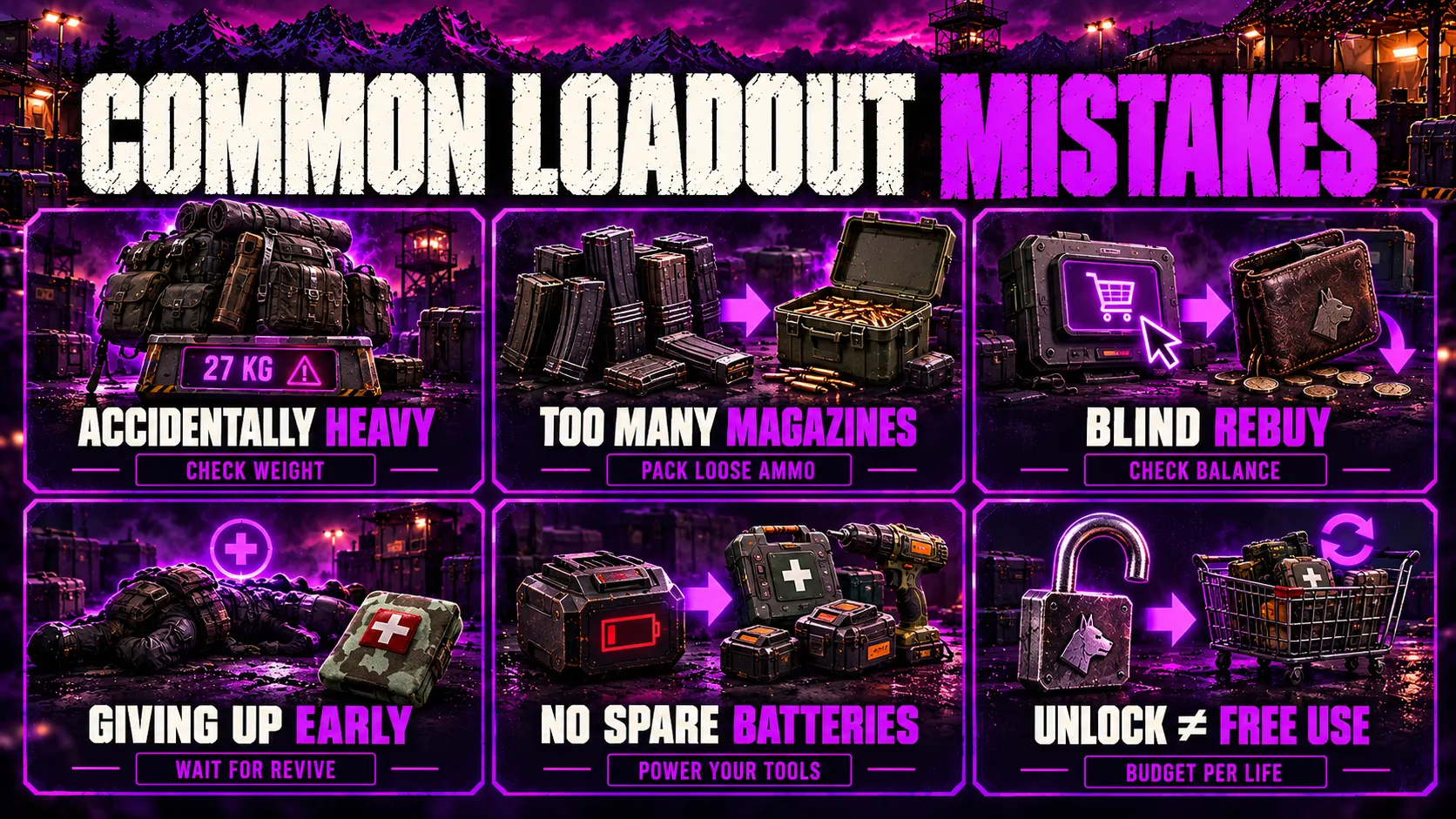
- Crossing into Heavy by accident: a fully dressed rifle, plates and a specialist tool can push you over the line before you notice.
- Filling the bag with loaded magazines: loose ammo packs more rounds into the same space.
- Rebuying without checking your balance: the button spends real cash every time.
- Giving up too early: a revive keeps the whole kit, and a respawn does not.
- Skipping batteries: defibrillators and repair tools are dead weight without spares.
- Buying the unlock and forgetting the per-life price: an unlocked item still costs money every time you deploy with it.
What Can Change During Early Access
Bulkhead expects WARDOGS to stay in Early Access for around one to two years, according to the Steam page.
Bulkhead also states in the Season 1 changelog that each season will carry a different XP curve and item order.
Prices, unlock levels and the missing preset system can all move as a result.
Treat every price and level in a guide as a Season 1 snapshot, and read the price tile at the vendor before you spend.
Key Takeaways
- You buy your loadout every life, and your cash carries over while your gear does not.
- Three gates control every item: a level gate, a one-off unlock fee and a per-life price.
- New accounts pay half price until Wardog level 9.
- Weight has five bands, and Heavy disables tactical sprint at 27 kg and above.
- Downed is not dead: a revive keeps your kit, and giving up loses it.
- Rebuy repurchases your last kit at full price, and saved presets do not exist yet.
- Recommendations live elsewhere: use Best Loadouts by Budget for specific kits.
FAQ
How do loadouts work in WARDOGS?
You buy every part of your kit from a vendor at the start of each life.
Your cash balance carries over between matches, but the items you bought do not survive a death.
Weight, backpack space and unlock gates all limit what you can put in the kit.
Can you save loadouts in WARDOGS?
No, the game has no saved presets right now.
You can rebuy your previous kit with one button after a respawn, and it costs full price.
A loadout section appears in the interface as a future feature, but the sources checked give no release date.
Do loadouts carry over between matches?
No, loadouts do not currently carry between matches.
Your cash and unlocks persist, so only the gear itself resets.
The first kit of each match is built by hand at the vendor.
How much money do you start with in WARDOGS?
Every player starts with $10,000, according to the Steam page.
Cash persists from match to match, and everything you earn adds to the same balance.
Accounts below Wardog level 9 also get 50% off vendor prices.
What happens to your loadout when you die?
Being shot down does not end your life right away, because you stay downed until you give up or the timer runs out.
If you give up or the timer expires, you lose everything you bought for that life.
Your unlocks and cash balance stay, and you buy a new kit at the vendor.
Do you lose your loadout if you get revived?
No, a successful revive keeps your entire kit.
That is why guides recommend waiting for teammates instead of giving up early.
A downed player can also offer a bounty to attract a medic.
What are the WARDOGS weight classes?
There are five bands based on total carried weight.
They run from Lightest at 0 to 10 kg, through Light, Medium and Heavy, up to Super Heavy at 40 kg and above.
Each band adds penalties to speed, stamina and aiming.
Which weight class disables tactical sprint?
Heavy is the first band that disables tactical sprint, and it starts at 27 kg.
Regular sprint still works in Heavy.
Super Heavy disables regular sprint as well.
How does the New Recruit Discount work?
New accounts get 50% off vendor prices until they reach Wardog level 9.
The discount expires at that level and does not return.
Guides disagree on whether every unlock fee is discounted, so check the price tile before you buy.
Is a loadout the same as a class in WARDOGS?
No, WARDOGS has no class select screen.
Your gear acts as your class, and what you carry decides which of the six XP tracks earns progress.
Each track unlocks its own weapons and tools over time.